Please, note, that Microsoft Internet Explorer is only suppoted.
Active File Recovery Service starts under administrator account only.
You might not be able to install ActiveX controls if the system administrator has disabled the ability to install them or if you are using a standard user account.
1. Before starting the Web Service, run Internet Explorer as administrator (right click the mouse button, select "Run as administrator").
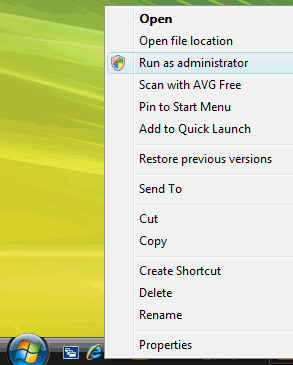
In the IE address field type or paste the Web Service address: 'http://www.file-recovery.com/service.htm´.
On the service page click the ´Start (Free)´ button to run the Service. Please wait a bit until Service is downloaded (~400Kb) ...
After Active@ File Recovery Web Service downloaded you´ll see a Security Warning window "Internet Explorer ActiveX Installer needs your permission to start! Follow the installation "click here" link to proceed with service registration on the machine.
If for some reason, you are unable to register and see web service, check your Internet Explorer security settings to be able to download and run signed ActiveX controls (Medium security level provides that):
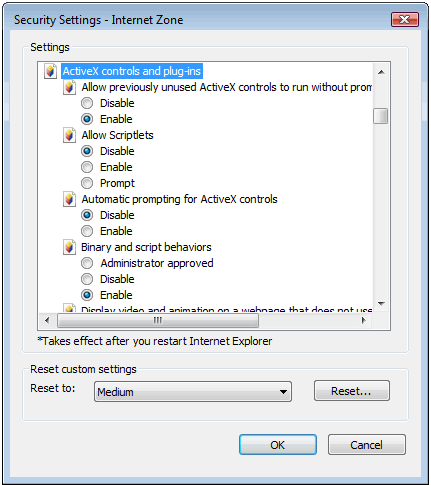
You might not be able to install ActiveX controls if the system administrator has disabled the ability to install them or if you are using a standard user account.
If problem persists for some reason, contact us :support@file-recovery.net
After service is downloaded and registered successfully, you'll see:

Now you are ready to use Active@ File Recovery Web Service!

