If you have downloaded the free DEMO version,there will be limitations on the size of files that can be recovered. To get the full functionality, you need to activate the DEMO version with a registration key.
To activate the DEMO version, you do not need to re-install software. You do not have to re-scan hard drives to detect deleted files and partitions. All you have to do is enter the registration key and continue working with the software registered in your name. You may purchase a registration key from our web site or from many third-party re-sellers.
When typing the Name information, be careful to spell the name and e-mail exactly the way you specified them while purchasing the registration key. Any variation will cause product activation and registration to fail.
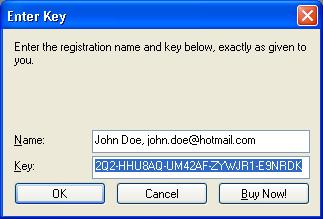
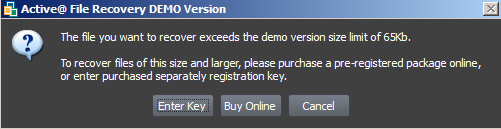
After you have activated and registered the product successfully, you may continue with recovery of the file that exceeds the demo limit.
This document is available in PDF format,
which requires Adobe® Acrobat® Reader
(Free download):

